
Key takeaways
- ✓ Most teams that run multiple WhatsApp numbers do it for a real reason: a separate sales line and support line, a number per region, or a number per brand, not for the sake of it
- ✓ The WhatsApp Business app gives you one account per number and one shared session, so running several numbers usually means running several phones with no shared view of who replied
- ✓ Broadcasting to a large list from a single number is the fastest way to get that number throttled or banned, because Meta enforces messaging limits and a quality rating on every number
- ✓ Sender rotation (Clapvo's Random connection message sending) spreads a campaign across several connected numbers to reduce that risk, but it only works with more than one connection and does not override Meta's enforcement
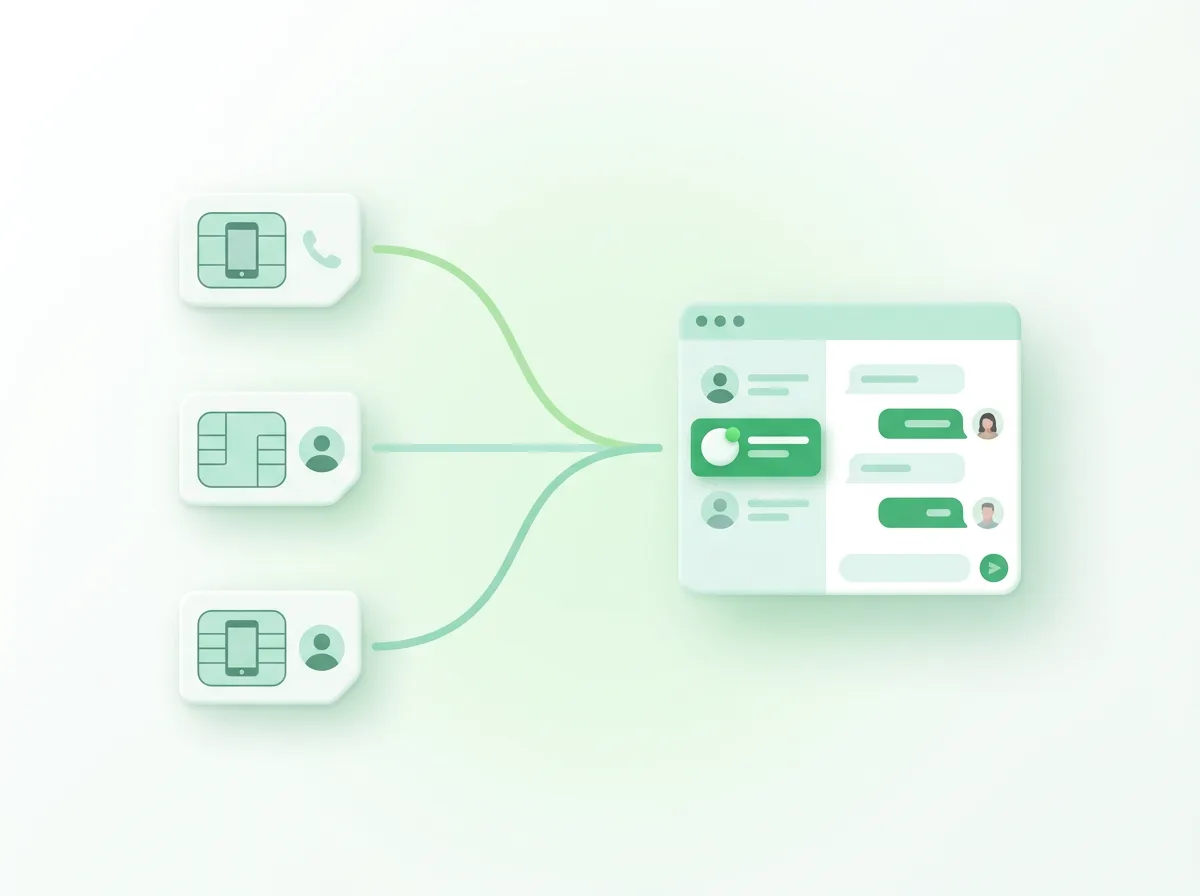
- ✓ A shared workspace lets the whole team work every number from one browser inbox, with assignment, notes, and roles, so you manage multiple WhatsApp numbers in one place instead of passing phones around
Why would one business run multiple WhatsApp numbers?
One business runs multiple WhatsApp numbers when a single line stops matching how the team is actually organized: usually a split by function, by region, or by brand. The number is not a vanity thing. It is a routing decision.
The most common split is function. A sales line and a support line keep two very different conversations from colliding in one queue. A buyer asking about pricing and an existing customer reporting a problem want different people, different response times, and different templates. One number forces both through the same door.
Region is the next reason. A team selling into more than one country often wants a local number per market, so customers see a familiar format and reach the right hours. Brand is the third. An owner or small agency running two or three brands does not want them sharing one WhatsApp identity, because the customer should see the brand they bought from, not a shared mailbox.
None of these are about wanting more numbers. They are about wanting the right conversation to land in the right place.
Can a WhatsApp Business account have multiple numbers?
It depends which WhatsApp you mean: the free WhatsApp Business app ties one account to one number, while the WhatsApp Business Platform lets a single business account hold several numbers. That distinction is the whole reason small teams get stuck.
On the app, each number is its own account. You verify a number, you get an account, and that is the unit. You can link a handful of devices to it, but they all share one session and one identity, which WhatsApp documents under multi-agent access. There is no concept of several numbers living under one business roof.
On the WhatsApp Business Platform (the Cloud API layer), a business account is the roof and numbers register under it. That is the version that makes "one business, several numbers" a clean setup rather than a drawer of phones. The catch is that the Platform is more setup than installing an app, so most teams meet it through a workspace that sits on top of it.
When splitting traffic across numbers makes sense
Splitting traffic across numbers earns its keep when the conversations behind each number are genuinely different, and it just adds overhead when they are not. The test is simple: would a customer, or a teammate, be confused if these two streams shared one inbox?
If sales and support have different owners, different urgency, and different scripts, a second number keeps them honest. If you sell in two regions with different languages or business hours, a local number per region is worth the extra setup. If you run separate brands, each one deserves its own front door.
What does not justify a second number is volume alone. Plenty of teams reach for another number because the first one feels busy, when the real fix is more people working the same line. A single number with a proper shared inbox handles a surprising amount before splitting helps. Add numbers when the streams are different, not just when they are loud.
What breaks when you broadcast from a single number?
What breaks first is deliverability, because Meta enforces a messaging limit and a quality rating on every individual number. Push a large broadcast through one cold number and you are the textbook case for getting throttled, then banned.
Meta caps how many unique customers a number can message in a rolling window and raises that cap as the number builds a track record, which the platform documents under messaging limits. A brand new number that suddenly fires thousands of messages looks exactly like the behavior those limits exist to catch. Add in recipients who block or report, and the number's quality rating drops.
The result is a familiar and painful pattern: a team sends a couple of thousand messages from one number, gets rate limited within hours, and loses the number within a day or two. The contact list does not come back with it. Sending everything through a single number is the single biggest self-inflicted risk in WhatsApp broadcasting.
How does sender rotation across numbers reduce ban risk?
Sender rotation reduces ban risk by spreading a broadcast across several connected numbers instead of forcing all of it through one, so no single number carries the whole volume spike. In Clapvo this is the Random connection message sending feature, and it is the clearest reason multiple numbers are an asset rather than an admin headache.
The honest version of how it works: when you have more than one WhatsApp connection configured, a campaign can rotate its sends across them, so the per-number volume stays lower and looks more like normal traffic. We go deeper on the mechanics in the guide to broadcast campaigns and sender rotation.
Two caveats matter, and we will not pretend otherwise. Sender rotation only does something when you actually have multiple connections set up. With one number, there is nothing to rotate across. And it reduces risk, it does not remove it. Meta controls enforcement, quality ratings, and bans. Rotation, opt-in lists, and approved templates stack the odds in your favor. They are not a guarantee, and anyone who promises one is selling something.
How do you manage multiple WhatsApp numbers from one place?
You manage multiple WhatsApp numbers from one place by connecting all of them to a single shared workspace, so the whole team answers every number from one browser inbox instead of one phone per line. The numbers stay separate to the customer; the work stops being separate for the team.
In a workspace, each connected number feeds the same inbox. A conversation can be assigned to an owner, tagged, and handed off with private notes that travel with the thread. A manager sees queue health across every number at once, not by walking around collecting phones. New hires get access on day one and lose it cleanly when they leave, because the conversations belong to the workspace, not to a device.
This is the difference between having multiple numbers and running them. The split that made sense for customers, sales here, support there, this brand and that one, no longer costs you a shared view. You get both: separate front doors, one operations surface behind them.
Do you need more numbers, or more agents on one number?
Often you do not need another number at all, you need more people able to work the number you already have. These two problems feel identical from the inside and have completely different fixes, so it is worth being precise.
If the pain is "this line is too busy for one person," that is an agents problem. The answer is a shared inbox where several teammates work the same number with clear ownership, not a second number that just splits the chaos in two. We walk through that case in the multiple users guide.
If the pain is "these are genuinely different conversations or different brands," that is a numbers problem, and a second line is the right call. Most growing teams have a bit of both. The clean setup is to add numbers only where the streams truly differ, then put enough agents on each number that no single line depends on one person being awake.
What does it cost to run multiple WhatsApp numbers?
The cost depends entirely on whether your tool charges per seat or per number, and that one pricing choice can change the bill by an order of magnitude. For a small team running two or three numbers, per-seat pricing is where budgets quietly blow up.
Most WhatsApp inbox tools price per agent. A ten-person team pays for ten seats before it connects a second number, and every new hire raises the bill. Clapvo prices the other way: per WhatsApp connection. The Gold plan is $15 a month (or R$89), and it includes one WhatsApp connection plus five team members, with a seven-day free trial and no credit card required. Adding a sixth or tenth teammate to that number does not change the price.
Running several numbers means adding connections. Clapvo offers extra WhatsApp connections as an add-on, so check the current pricing page for the live rate, since the add-on line is not always shown in the main pricing view. The principle holds either way: you pay for the numbers you run, not for every person who answers them.
Running your numbers from one Clapvo workspace
Clapvo is built for exactly this shape of team: one that has outgrown a single line and a single phone, and wants several WhatsApp numbers working together instead of scattered across desks. You connect each number, invite the team, and everyone answers from one browser inbox with assignment, notes, templates, and role based permissions.
The two pieces that make multiple numbers worth it both live here. Sender rotation across your connected numbers helps protect deliverability when you broadcast, and a shared inbox gives you one view of every conversation on every line. Separate numbers for customers, one workspace for the team.
If a drawer of phones or a banned broadcast number sounds familiar, the fix is not fewer numbers, it is a place to run them properly. See what is included on the Clapvo features page and the full plan on the pricing page.