
Key takeaways
- ✓ The WhatsApp Business app links one account to your phone plus up to four companion devices
- ✓ Every linked device shares the same single session, not separate agent logins
- ✓ Two people on two phones see one undivided inbox, which causes double replies
- ✓ A shared inbox on the WhatsApp Business Platform gives each agent their own login and clear ownership
- ✓ Clapvo prices per WhatsApp connection ($15/mo, $149/yr, one number plus five members), not per device or seat
Can you use WhatsApp Business on multiple devices?
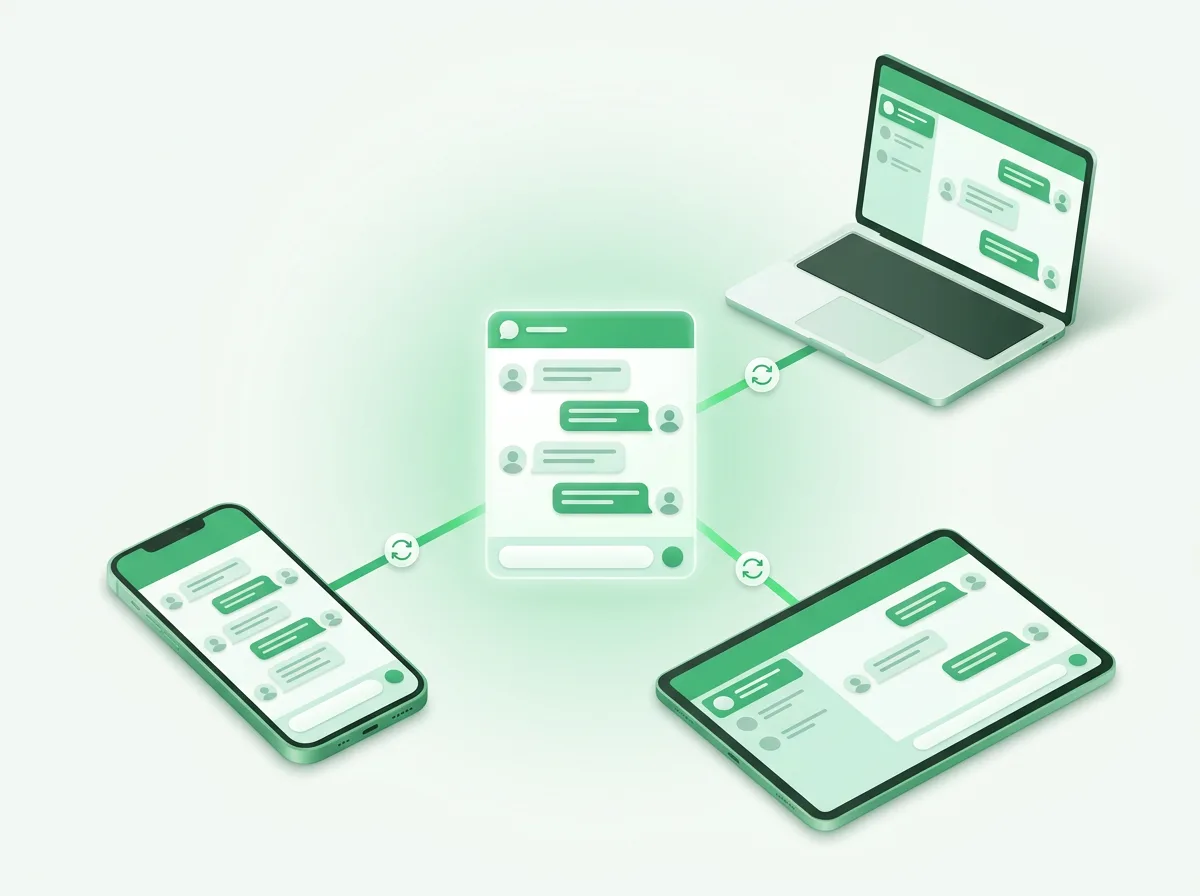
Yes, you can use one WhatsApp Business number on multiple devices, but only as a single shared account rather than as separate logins for different people. The WhatsApp Business app lets you link your main phone to a handful of companion screens, and they all open the same inbox at the same time.
That distinction is the whole story. Most people searching "WhatsApp Business on multiple devices" want one of two very different things. Some just want to answer messages from a laptop as well as their phone, which the app handles fine. Others want several teammates each working the same number from their own device with their own view, which the app was never built to do. If you are mainly trying to add people rather than screens, our guide on WhatsApp Business multiple users is the one you want.
This guide focuses on the devices side. It explains how many devices you can actually link, why those devices share one identity instead of separate ones, what happens when two people try to share that single session, and the setup that gives a real team its own logins.
How many devices can you link to WhatsApp Business?
You can link the WhatsApp Business app to your primary phone plus up to four additional companion devices, for five active screens in total. A companion device can be WhatsApp Web in a browser, the desktop app, or even another phone using companion mode.
The primary phone stays the anchor of the account. The companion devices connect to it, and they keep working even when your phone is asleep. If the primary phone stays offline for around two weeks, though, the linked devices log out and you have to scan the QR code again to bring them back.
For a solo owner, this is genuinely useful. You can reply from your computer during the day, pick up the same chats on your phone when you step out, and keep one tidy history across all of them. The limit only starts to pinch when you think of those five screens as five people instead of one person on five devices.
Can two phones use the same WhatsApp Business number?
Two phones can use the same WhatsApp Business number through companion mode, but they both log into one shared account rather than two independent ones. The second phone becomes a companion of the first, the same way a laptop would.
So if you and a colleague both open the number on your own phones, you are not two agents with two inboxes. You are two people looking at one inbox, and WhatsApp cannot tell your replies apart. For occasional coverage between two people who trust each other, that can hold together. Past two or three people, it stops being workable.
The cleaner mental model is this: the WhatsApp Business app scales by adding screens, not by adding people. The moment you need to add people, with their own accounts and their own accountability, you have outgrown what linking devices can do.
Where the multiple-device setup breaks down for teams
The multiple-device setup breaks down for teams the instant two people are working the same inbox with no sense of ownership. Two agents open the same new message, both reply, and the customer gets two different answers within a minute of each other.
It gets messier from there. A third teammate jumps into a thread halfway through with no idea what was already promised. Nobody can tell who handled the morning rush and who is on the hook for the afternoon. And because the account lives on one primary phone, the day that person leaves or loses the device, the chat history and the customer relationships can go with it.
There is also the quieter problem of the bottleneck. A small company often runs everything through the founder's linked account, patching the gaps by forwarding screenshots into a group chat. That works until the founder takes a day off, and then the whole channel stalls because the account, not the team, is the single point of failure.
Setting it up: app linked devices vs a team workspace
Setting up linked devices and setting up a team workspace are two different jobs, and which one you need depends on whether you are adding screens or adding people. Linking a device is a one-minute task; building a team channel takes about an hour.
To link a device on the app, open WhatsApp Business, go to Linked Devices, choose to link a device, and scan the QR code from the web, desktop, or companion phone. That is the right move when one person wants the same account on a laptop and a phone.
To set up a real team channel, you connect your WhatsApp number to a workspace, invite your teammates, and give each one a role. With Clapvo the steps are: connect one number, invite up to five members, then set role based permissions so agents can reply, managers can see metrics, and admins control settings. There is no consultant and no integration project, and the seven-day free trial does not ask for a credit card, so you can move the number over and test the full workflow first. For the deeper background on why the app and the platform behave so differently, see our breakdown of the WhatsApp Business app vs API.
What does a multi-agent setup cost?
A multi-agent WhatsApp setup does not have to cost more as you add people, because the smart pricing model charges per number rather than per device or per seat. Most team tools charge per agent, so the bill climbs every time you hire.
Clapvo prices per WhatsApp connection instead. The Gold plan is $15 a month, or $149 a year, and includes one connection plus five team members. If you outgrow five people or need a second number, extra users and connections are available as add-ons. The unit of value is the number your customers message, not the count of phones or people answering it.
For a small support or sales team, that model is the practical reason to move off shared logins. A growing team on a per-seat tool pays more every quarter just for adding the people it hired to handle the volume, while linked devices stay free but never solve the ownership problem.
Which option is right for you?
The right option comes down to a single question: are you adding screens or adding people? If one person wants the same WhatsApp Business account on a phone and a laptop, the app's linked devices are all you need, and they cost nothing.
If two or more people need to work the same number with their own logins, clear ownership, and a history that stays with the business, linked devices will keep letting you down no matter how you arrange them. That is the point to move the number off a single shared account and into a workspace the whole team signs into.
The trigger points are familiar: replies going out twice, messages sitting unread because nobody is sure whose job they are, or a teammate leaving with the chats on their personal phone. When those start happening, the fix is not another linked device. It is giving the team its own inbox, where the conversation belongs to the workspace instead of the phone.