
Key takeaways
- ✓ A WhatsApp broadcast campaign sends an approved template to many opted-in contacts at once
- ✓ High volume from a single number is the most common cause of throttling and bans
- ✓ Sender rotation spreads sends across connected numbers to reduce that risk
- ✓ Rotation needs more than one connected number to do anything
- ✓ Opt-in lists and approved templates are the other half of staying deliverable
What are WhatsApp broadcast campaigns?
A WhatsApp broadcast campaign sends an approved message template to many contacts at once, each personalized with the recipient's details. It is how businesses send order updates, reminders, offers, and re-engagement messages at scale instead of typing to people one at a time.
Unlike a group chat, a broadcast reaches each person in a private one-to-one thread, so customers reply to you directly and never see each other. And unlike the free-form replies you send inside an open conversation, a broadcast to a cold list has to use a pre-approved template, because you are starting the conversation rather than answering one.
Done well, WhatsApp broadcast campaigns get strong open and reply rates because the channel is personal and uncluttered. Done carelessly, they get your number throttled within hours. The difference is almost always in how you send, not what you send.
Why do single-number broadcasts get throttled or banned?
Single-number broadcasts get throttled because Meta applies protective rate limits to any one number sending high volume in a short burst, which looks like exactly the spam pattern those limits exist to catch. Push too hard and the number can be restricted or banned.
This is the situation that catches small teams off guard. They load a list of two thousand contacts, send the whole campaign from one number, and the messages start to slow or stop. In the worst case the number gets banned, and the contact list and customer relationships tied to it are gone.
The instinct to blast everything from one number is understandable, because that is the only number most teams have. But WhatsApp was built for conversations, and sending behavior that does not look conversational is what triggers the brakes.
What is sender rotation, and how does it protect deliverability?
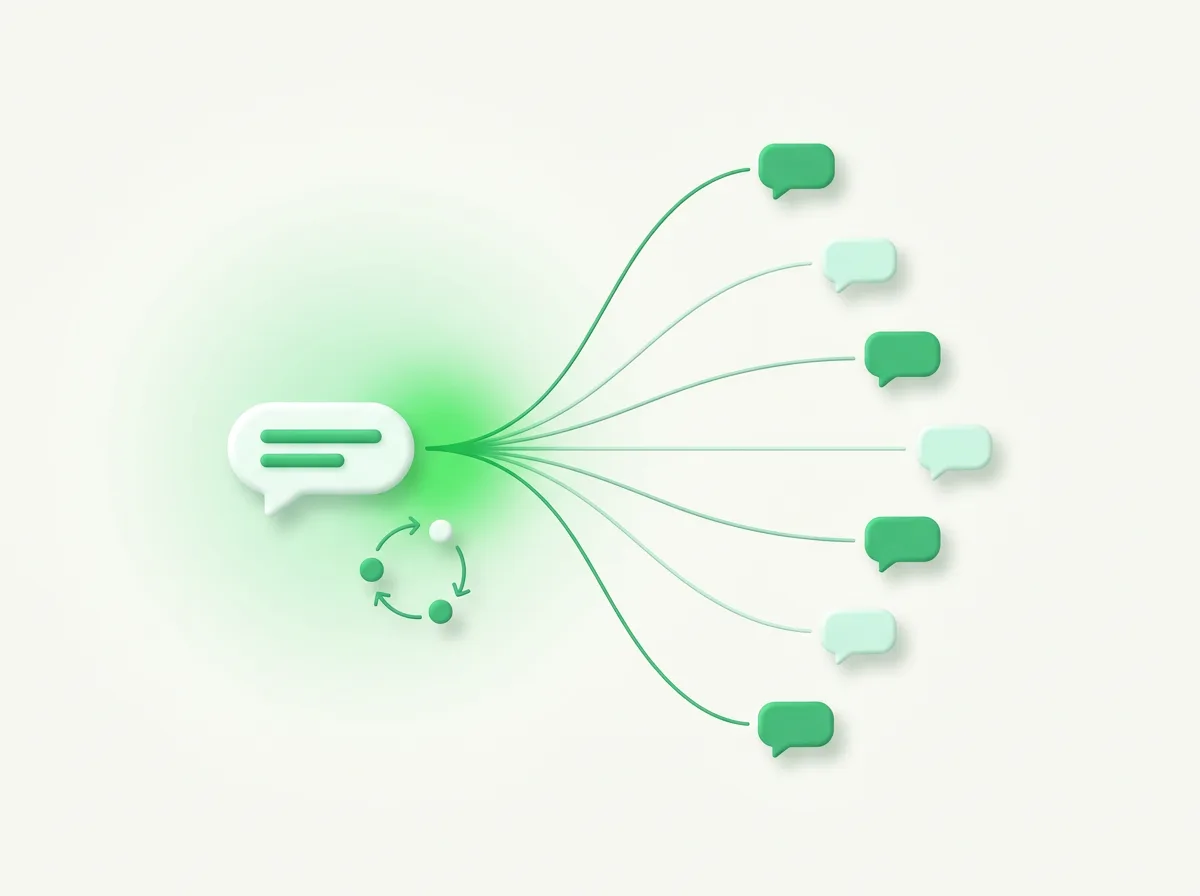
Sender rotation protects deliverability by spreading a campaign's sends across several connected numbers instead of firing everything from one. By splitting the volume, no single number takes the full load, which keeps each one closer to normal, conversational sending behavior.
In Clapvo this is the Random connection message sending feature. When you run a campaign across multiple connected numbers, the workspace distributes the messages among them rather than hammering one. It is a legitimate way to scale outreach, not a trick, because the underlying goal is to avoid the single-number spike that rate limits are designed to stop.
To be clear about what this does and does not do: rotation reduces the risk of throttling on any one number. It does not let you ignore opt-in, and it does not override Meta's enforcement, which Clapvo does not control. It is one layer of a deliverable campaign, and an important one for high-volume sends.
Opt-in and approved templates: the other half of deliverability
Sender rotation handles the sending pattern, but opt-in and templates handle whether you are allowed to send at all. Skipping either is how campaigns get reported, and reports hurt your number's quality rating faster than volume does.
Opt-in means the contact agreed to hear from you on WhatsApp. Sending marketing broadcasts to people who never opted in is both against the rules and the quickest route to complaints. A clean, consented list is worth more than a big one.
Approved templates are the format requirement. A broadcast to contacts outside an open conversation must use a template that passed Meta review, in the right category, with the customer's details filled into the variables. Pair an opted-in list with a well-written template and a rotated send, and you have covered the three things that actually move deliverability.
How to plan a WhatsApp broadcast campaign that lands
Plan a WhatsApp broadcast campaign backward from the rules: confirm consent, prepare an approved template, then decide how to spread the send. Treating those as the first three steps rather than afterthoughts is what separates a campaign that lands from one that stalls.
Start with the list. Segment to the people who opted in and for whom the message is actually relevant, because a smaller, well-targeted send beats a large, indifferent one. Then match the message to an approved template in the honest category, whether that is a utility update or a marketing offer.
Next, set up the send. If you have more than one connected number, use sender rotation so the volume is shared. Schedule it for a sensible time for your audience rather than the middle of the night. Keep the message genuinely useful, because reply quality and complaint rate feed back into how freely you can send next time.
Why sender rotation needs more than one number
Sender rotation needs at least two connected numbers, because there is nothing to rotate across with only one. If your workspace has a single connection, every message in a campaign goes out from that one number, and you are back to the single-number risk.
This is a practical planning point. Teams that send larger or more frequent broadcasts benefit from connecting more than one number specifically so the load can be distributed. On Clapvo, additional WhatsApp connections are available as add-ons for exactly this kind of scaling.
If you only ever send small, well-targeted broadcasts to opted-in contacts, one number may be fine. The rotation conversation becomes important as your volume grows, which is usually when a team starts feeling the rate limits in the first place.
Measuring a campaign after it sends
After a campaign sends, measure it by the signals that predict your next send: delivery, replies, and complaints, not just how many messages went out. A campaign that delivered widely but generated reports is a worse outcome than a smaller one that sparked real conversations.
Watch how many recipients replied and what they said, because replies open service windows where your team can help in free-form messages. Watch for opt-outs and complaints, since those are the early warning that your targeting or message needs work. In Clapvo, campaign history and reporting sit next to the shared inbox, so the replies a broadcast generates land in the same place your agents already work.
The point of measuring is not vanity numbers. It is protecting the channel. Every campaign either earns you more room to send or spends it, and the teams that treat deliverability as something to maintain are the ones still sending six months later.