

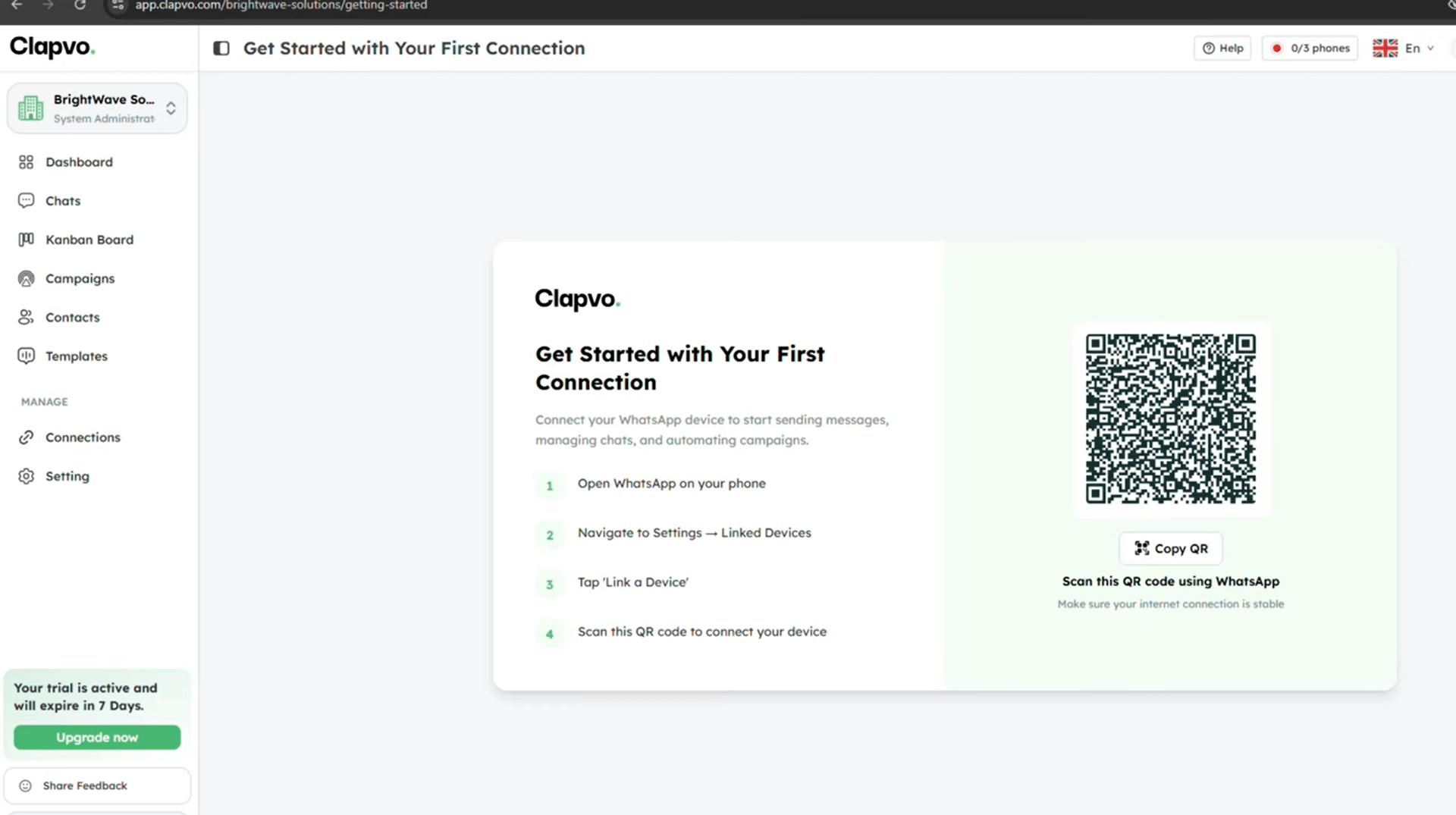
Before you start
- An organization (see Create an organization)
- The phone holding the WhatsApp number you want to connect, with internet access
- WhatsApp open on the phone
Steps
1
Open the connection screen
After signing in to a new organization, Clapvo routes you to the QR pairing flow automatically. To pair from elsewhere, open Connections and start a new pairing.
2
Open WhatsApp on your phone
Tap Settings -> Linked Devices -> Link a Device.
3
Scan the QR code
Point your phone at the QR code on screen.
4
Wait for confirmation
Clapvo updates the screen in real time. Stay on the page until pairing completes.
5
Land in the dashboard
On success, Clapvo redirects you to the dashboard.
Tips
- The QR refreshes periodically. If yours expired, just wait for a new one.
- Keep the phone next to your laptop with WhatsApp open during pairing.
- A successful connection appears under Connections with status connected.