
Key takeaways
- ✓ Tags on a shared inbox are enough for most small teams that are not tracking a multi-stage sales pipeline. A board earns its keep once you have many leads moving through distinct stages and need an at-a-glance view
- ✓ Clapvo shipped a real kanban board on June 17, 2026, per its own changelog: chats become cards that move through customizable stage columns
- ✓ Kanban columns (Settings, Chat, Kanban) and org-wide statuses are two related but separate settings objects. A status can map to a column, but they are not the same thing
- ✓ Chats get onto the board two ways: starting a fresh chat directly on the board, or picking an existing chat from the inbox, which the docs call the easiest way to build a starting pipeline
- ✓ Each column has its own search box, and a board-wide filter by phone number, tags, or saved quick filters shows as removable chips. The docs call tag filtering the most powerful option for large boards
- ✓ The kanban board is not marketed on the homepage, features, or pricing pages as of September 2026. It is documented in Clapvo help center and included in the same $15/mo Gold plan as everything else, no separate product or upgrade
What does a "kanban board for WhatsApp" actually mean
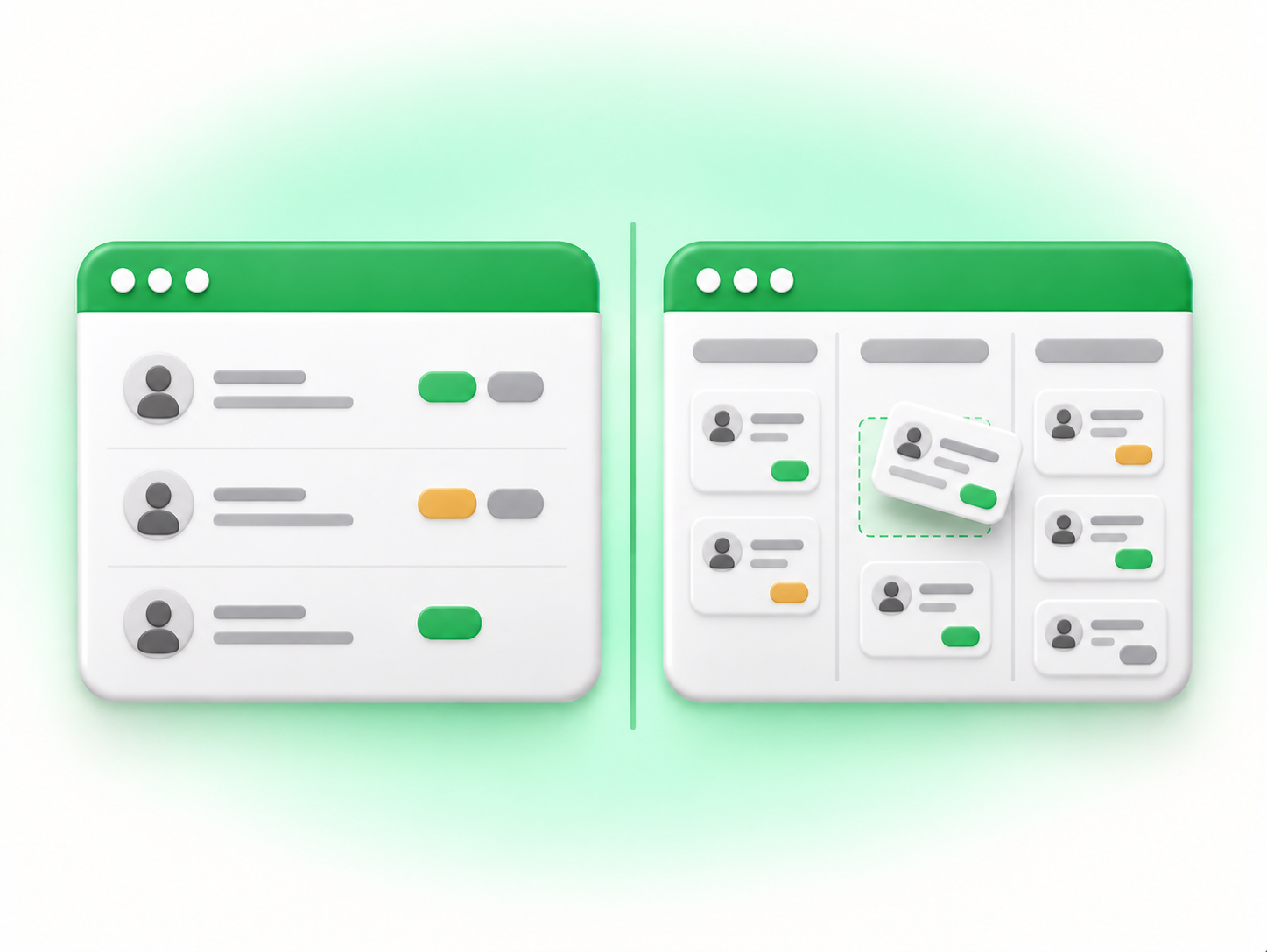
Strip away the jargon and a kanban board for WhatsApp is a simple idea. Each WhatsApp conversation becomes a card. Each stage in your process (new lead, in progress, waiting on the customer, won, lost, whatever your workflow actually looks like) becomes a column. You drag a card from one column to the next as the conversation moves forward, and the board gives you a single glance at everything currently in flight, sorted by where it stands.
That is different from a tag. A tag is a label you attach to a chat: "VIP," "hot lead," "needs follow-up." Tags are good at answering "which conversations share this property?" A kanban board answers a different question: "where does this conversation sit in a sequence of stages, and how many other conversations are sitting at each stage right now?" You can build something like a pipeline out of tags if you are disciplined about it, but a board makes the sequence and the stage visible without you having to mentally reconstruct it from a list of labels.
Does your team actually need one, or is tagging enough
We covered this exact question from the other direction in do you need a WhatsApp CRM, or just a shared inbox, and the logic carries over here almost exactly. A CRM, or a kanban board, earns its place when your sales motion is long and structured: many touches over weeks, multiple stages, a manager who needs forecasts or a pipeline view, and enough leads in flight that nobody can hold the whole picture in their head. A shared inbox with tags wins when speed and ownership matter more than stage tracking: fast back-and-forth, a handful of active conversations, no real multi-stage process to visualize.
Be honest about which one describes your team. If you have three or four leads open at a time and the main job is just answering fast without dropping anyone, tags on a shared inbox already do that job, and a board adds a layer of maintenance (moving cards, keeping stages current) that does not pay for itself yet. If you have dozens of leads moving through a real sequence, new, qualified, quoted, waiting on the customer, closed, and the team keeps losing track of who is where, that is exactly the case a kanban board is built for. The tell is the same one from the CRM question: are you trying to track relationships over time and stages, or are you trying to answer conversations fast as they come in? The first points to a board. The second points to tags.
How Clapvo's kanban board actually works
Clapvo shipped a kanban board for WhatsApp chats on June 17, 2026, according to its own changelog, which records: "Kanban board, configure stages. Teams can now create, rename, and remove kanban stages directly from Settings, Chat, Kanban." This is a real, documented feature, not a planned one.
The mechanics, per Clapvo's help center, work like this. Chats are treated as a pipeline: each chat becomes a card, and columns represent the customizable stages you define. Cards can be dragged between columns to update where a chat sits, and cards show tags, message previews, and status information directly, so in most cases you can decide where to move a card without opening the full chat first. If dragging is not your preference, the docs note you can assign the stage from the chat's own profile panel instead, and either path updates the same underlying stage, whether you moved the card from the board or from the chats module.
Chats land on the board in one of two ways. You can start a brand new chat directly from the kanban module (open it, choose "Add chat," pick "New chat," enter a phone number, and assign it to a column), or you can pull in a conversation that already exists in your inbox (choose "Add chat," then "Pick existing," search for the chat, and place it in a column). The docs are explicit that the second path is the practical one for most teams getting started: picking existing chats into the board is described as the easiest way to build a starting pipeline from your inbox, since it lets you populate the board from conversations you are already having rather than starting from zero.
Finding things on a busy board has two layers. Each column carries its own search box that filters only within that column, useful when one stage has accumulated far more cards than the others. On top of that sits a board-wide filter that works across every column at once, by phone number, by tag, or by saved "quick filters" (stored filter combinations you can reapply later). Active filters show up as removable chips at the top of the board, so you can see and clear whatever is currently narrowing your view. Of the filter types, the documentation calls tag filtering the most powerful for large boards, since a well-tagged conversation (say, everything tagged "VIP") can be pulled up across every column in one step rather than hunting column by column.
One distinction worth getting right, because it is a common point of confusion: kanban columns and statuses are related but separate settings. Columns live in Settings, Chat, Kanban, and are what you see and reorder on the board itself. Statuses are a separate, org-wide concept, a name plus a color, meant to describe where a record sits in a workflow (New, In progress, Resolved, and so on), and the documentation recommends keeping the status list short, three to five values covering most workflows. The two can work together, since each status can map to a column, but a status is not automatically a column and a column is not automatically a status. If you set up one without the other, do not expect them to sync on their own.
A practical setup walkthrough for a small team
If tagging is no longer enough and a board sounds right, start small. Go to Settings, Chat, Kanban and set up a short list of stages first, before you touch a single chat. The Clapvo documentation itself suggests stages that describe meaningful transitions, and its own example set is a reasonable default for most sales pipelines: New, In progress, Waiting on customer, Won, and Lost. Five stages is enough to see real movement without turning the board into a maze.
Once the columns exist, do not try to backfill your entire chat history onto the board on day one. Pick a handful, ten or fifteen is plenty to start, of the leads you are actually working right now, using "Add chat" then "Pick existing" to pull them in from your inbox and drop each one into the column that matches where it really stands. That gives the team an accurate, if partial, pipeline immediately, and new conversations can be added to the board as they come in rather than all at once.
Resist the urge to keep adding columns as edge cases come up. The documentation's own caution is direct: the board gets crowded fast if you add too many. A stage for every possible nuance of a deal defeats the point of a kanban board, which is a fast, at-a-glance read of where things stand. If a stage needs to be renamed or retired later, that is a quick change in Settings, Chat, Kanban, though it is worth noting the docs also warn that a deleted stage cannot easily be restored, so rename instead of delete if you are unsure.
Where this fits alongside the rest of the workspace
None of this replaces the shared-inbox case for smaller teams. Tags, assignment, and private notes still cover the "answer conversations fast, as a team" job perfectly well, and plenty of teams on Clapvo will never need to open the kanban board at all. The board is there for the teams whose real problem has shifted from "who answers this" to "where is this in the pipeline and how many others are at the same stage," and it lives inside the same product, not a separate tool or a paid add-on.
One honest note: as of late September 2026, the kanban board is not yet listed on Clapvo's homepage, features page, or pricing page, even though it has been live in the product since June. If you want to see it, open your own workspace rather than the marketing pages.
Either way, it comes with the same Gold plan as everything else: $15 a month (or R$89) for one WhatsApp connection and five team members, with a 7-day free trial that does not require a credit card, or $149 a year if you pay annually, a 17 percent saving over paying monthly. There is no separate tier for the kanban board and no upgrade required to turn it on. You can see the full breakdown on the pricing page.
Where to go from here
So, do you need a kanban board for your WhatsApp leads? If your leads fit on a mental list and the main job is answering fast without dropping anyone, no, stick with tags on Clapvo's shared inbox and save yourself the upkeep of a board nobody has time to maintain. If you are running enough leads through enough stages that "where does everything actually stand" has become a real question in your Monday meeting, yes, and you do not need a separate tool to get it: open Settings, then Chat, then Kanban in your Clapvo workspace, set up five stages, and pull in the leads you are working right now. Both the shared inbox and the kanban board live in the same $15-a-month Gold plan, so the honest answer is to start with tags, and only turn on the board once tagging has genuinely stopped being enough.