

x-api-key header. You generate and manage these tokens from the Developer section of Clapvo.
Generate an API token
Personal access tokens function like ordinary access tokens — they authenticate your scripts and integrations to the Clapvo API.1
Open the Developer section
In the left sidebar, under Manage, click Developer, then open the API Tokens tab. If you haven’t created one yet, you’ll see an empty state.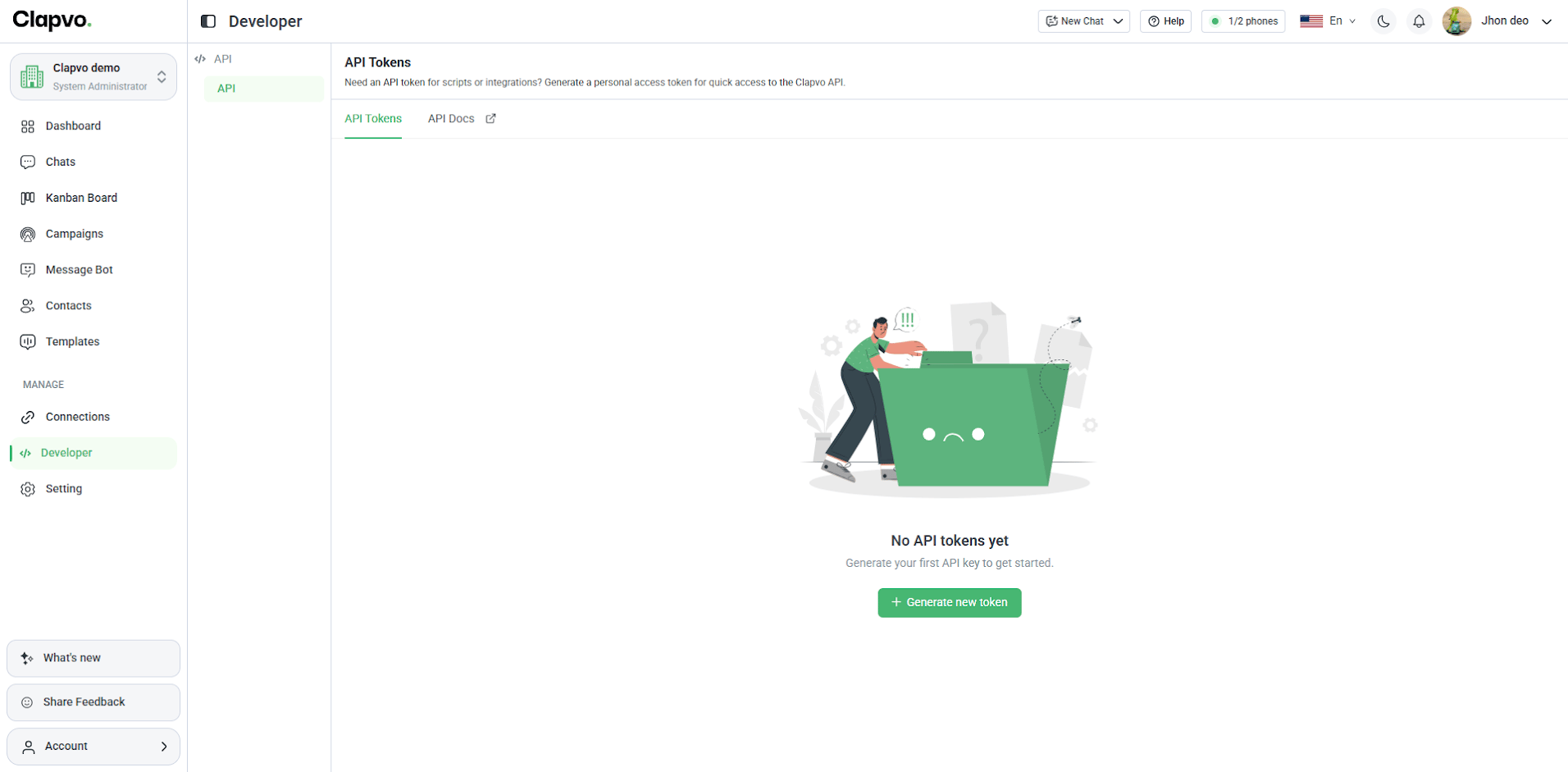
2
Click Generate new token
Select Generate new token in the top right to open the Create API Token form.
3
Name the token
Enter an API Key Name that describes where the token will be used (for example,
Order notifications or CRM integration). This helps you identify the token later.4
Set an expiration
Choose an Expiration for the token. Pick a shorter window for temporary use, or a longer one for a permanent integration.
5
Select the events
Under Events, choose what this token is allowed to do. For sending messages, check Messaging → Send Message. A token can only trigger the events you select here.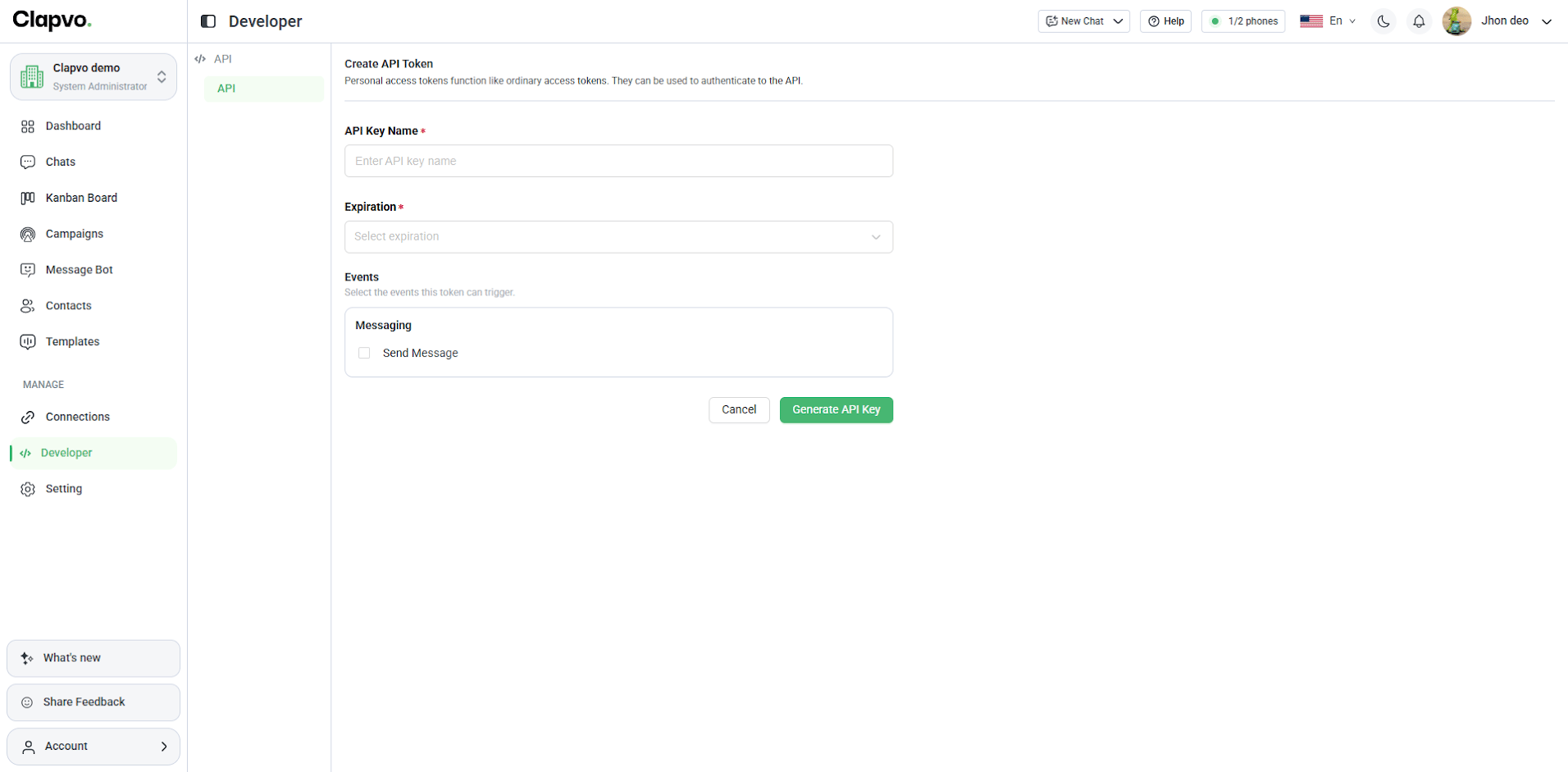
6
Generate the key
Click Generate API Key. The new token appears in your API Tokens list.
Copy and store your token
In the API Tokens list, each token is masked by default. Use the eye icon to reveal it and the copy icon to copy it to your clipboard.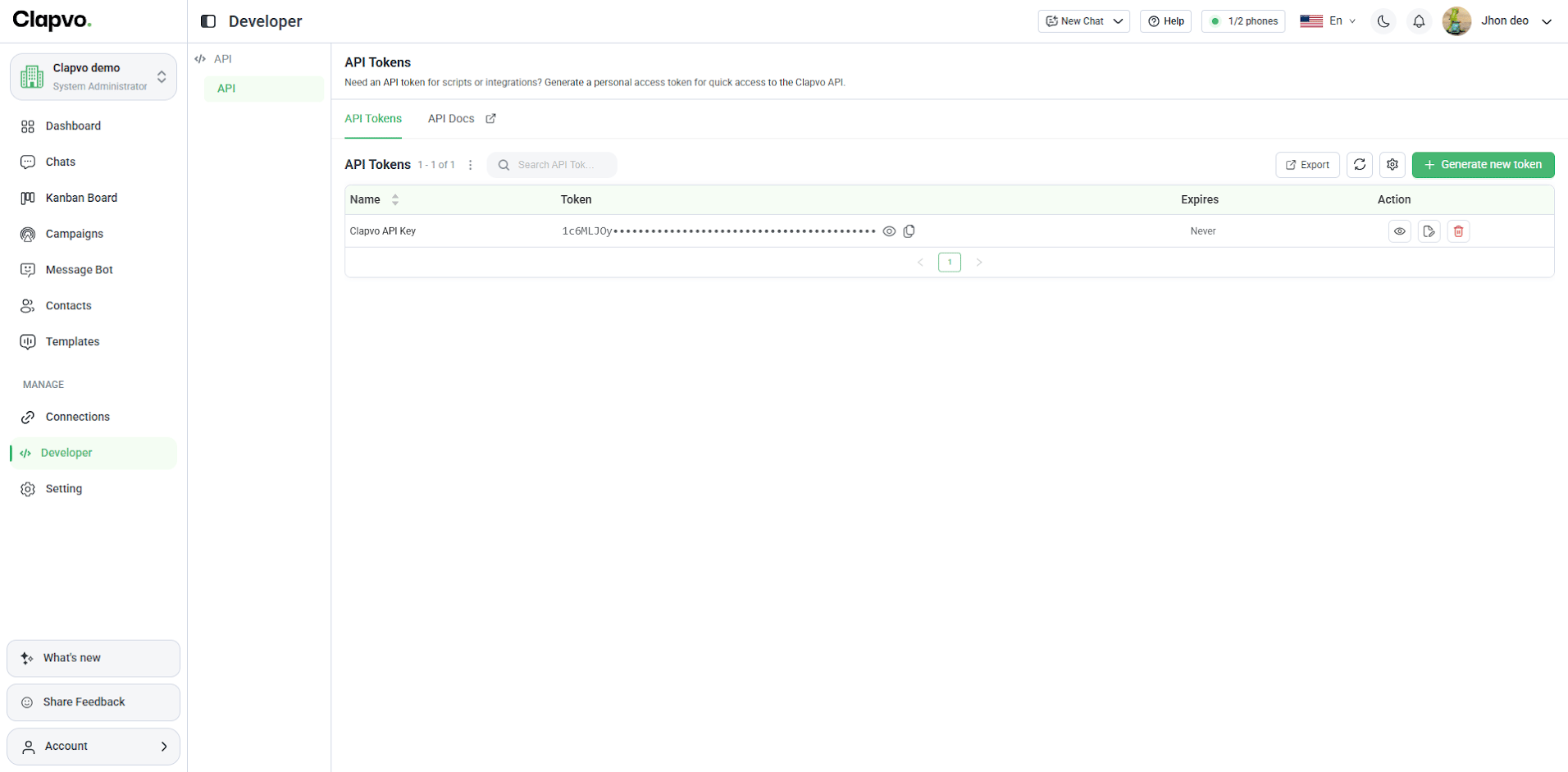
Use the token in a request
Pass the token in thex-api-key header on every request:
Next steps
- Send a message — try the endpoint live with your token.