> ## Documentation Index
> Fetch the complete documentation index at: https://clapvo.com/docs/llms.txt
> Use this file to discover all available pages before exploring further.
# Add a WhatsApp connection
> Pair an additional WhatsApp number to your organization.
Pair more numbers when you want to scale outbound volume, run multiple business lines, or use [randomize sender](/docs/product/campaigns/randomize-sender) on campaigns.
## Before you start
* The phone holding the WhatsApp number you want to connect, with internet access
* WhatsApp open on the phone
## Steps
Navigate to the connections module.
Open the QR pairing flow.
Tap **Settings** -> **Linked Devices** -> **Link a Device**.
Point your phone at the QR code on screen.
Pairing completes in real time.
## Chat sync options
When you connect a new number, Clapvo asks how to handle existing WhatsApp chat history:
* **Connect without syncing old chats** — go live instantly with an empty inbox.
* **Sync all previous chats** — import your full WhatsApp history into Clapvo.
If you are upgrading from a trial plan to a paid plan, you get an additional choice for how to handle existing records:
* **Sync new chats only** — start with a clean inbox; no historical messages are imported.
* **Keep old records, sync new only** — your existing chat records are preserved and only new incoming chats are synced going forward.
## Tips
* Each number runs on a dedicated server slot, so deliverability is isolated per connection.
* Plans charge per connection — check [billing](/docs/getting-started/billing) before adding many.
* If you are unsure about importing history, start without syncing — you can always reconnect and choose to sync later.
## Related
* [Connect WhatsApp](/docs/getting-started/connect-whatsapp)
* [Randomize sender](/docs/product/campaigns/randomize-sender)
* [Reconnect number](/docs/product/connections/reconnect-number)
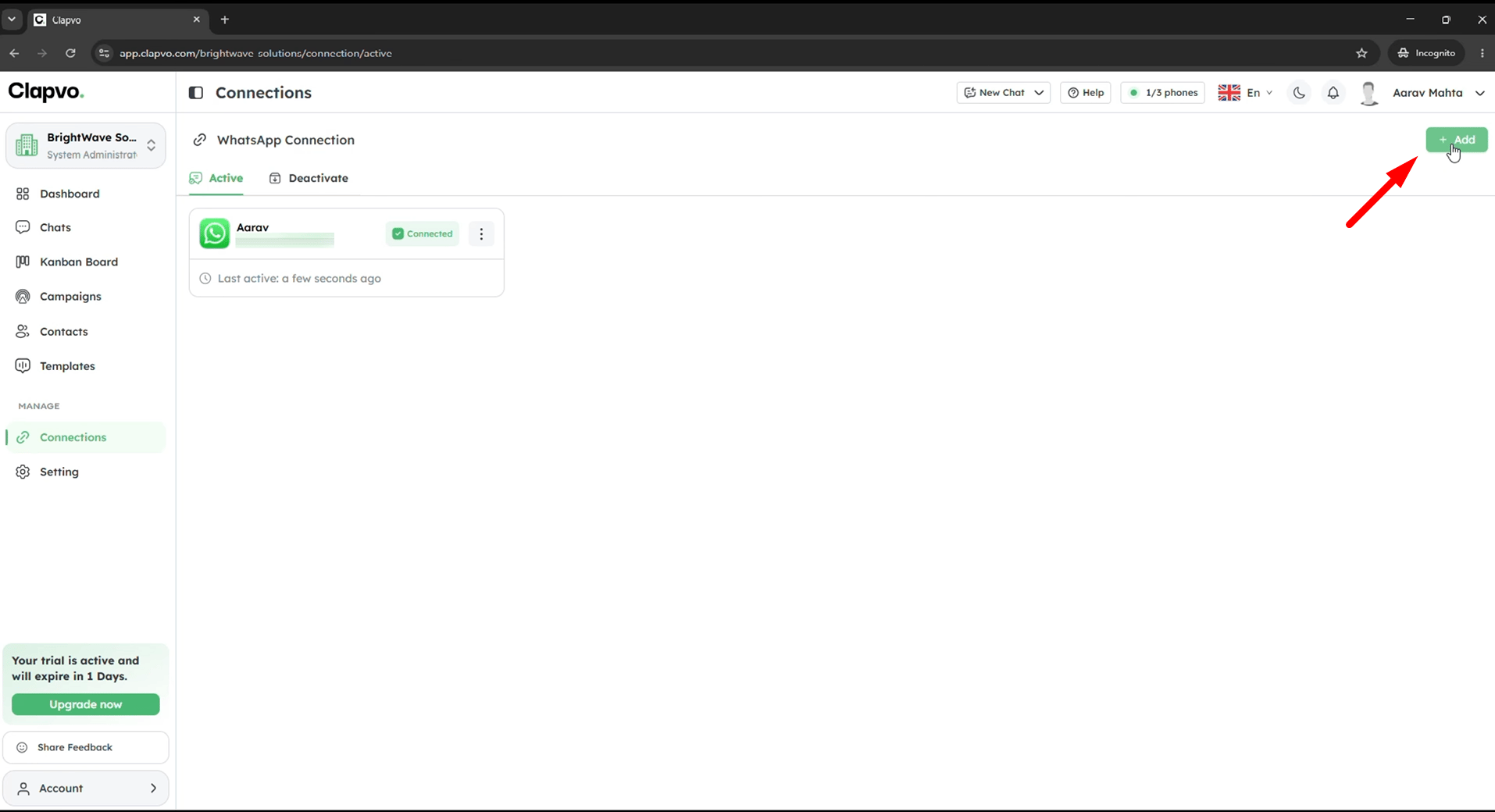 Pair more numbers when you want to scale outbound volume, run multiple business lines, or use [randomize sender](/docs/product/campaigns/randomize-sender) on campaigns.
## Before you start
* The phone holding the WhatsApp number you want to connect, with internet access
* WhatsApp open on the phone
## Steps
Pair more numbers when you want to scale outbound volume, run multiple business lines, or use [randomize sender](/docs/product/campaigns/randomize-sender) on campaigns.
## Before you start
* The phone holding the WhatsApp number you want to connect, with internet access
* WhatsApp open on the phone
## Steps